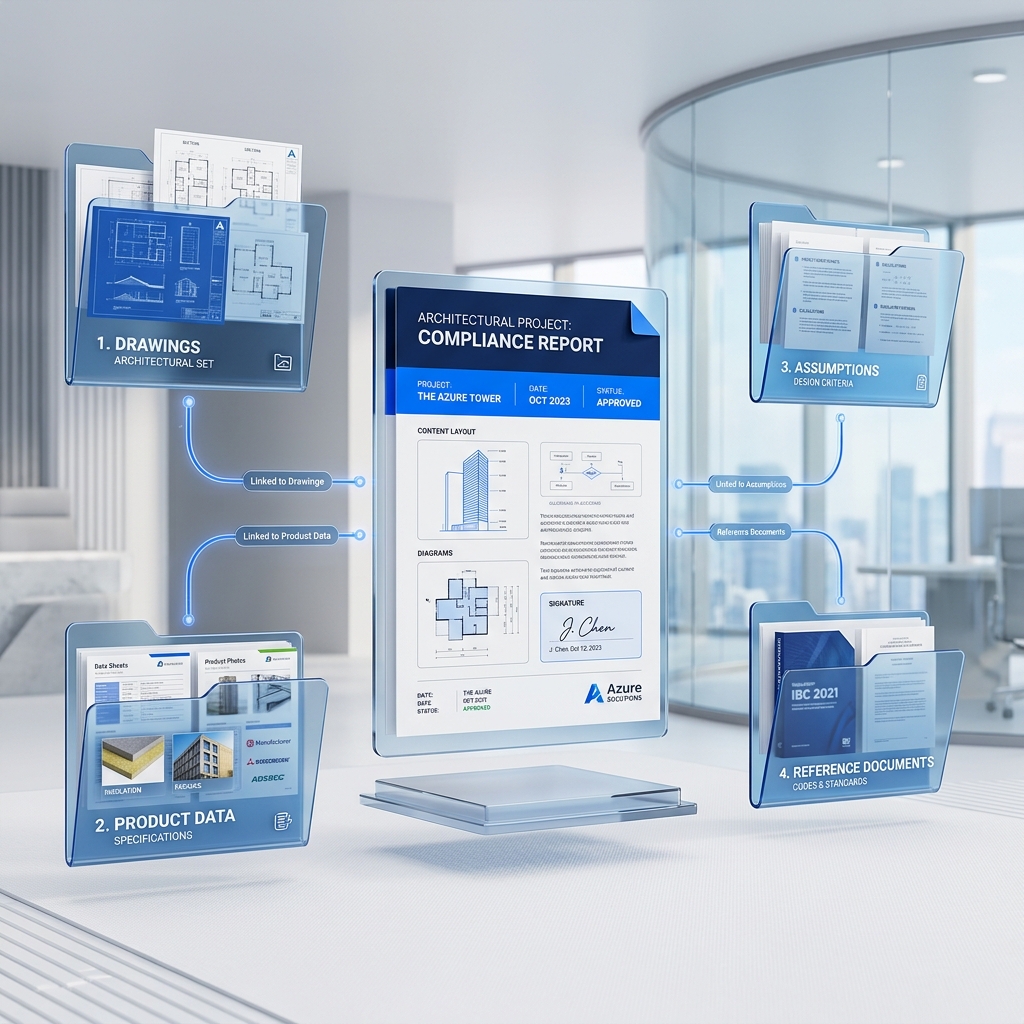
How to use the diagramRead the visual first, then connect each label to the lesson text and your calculator inputs. The aim is to make every assumption visible before you calculate.
Learning Objective
Run a practical quality review on a compliance package.
Internal review
Check inputs, units, storey boundaries, orientation groups and service assumptions before issuing.
Risk items
Flag uncertain assumptions rather than hiding them in the final output.
Practice Task
Review a sample report.
List three risk items.
Calculator Tip
Use comments for assumptions that need confirmation.
Worked Example: Evidence Pack Review
Scenario
A report passes numerically, but the window schedule, roof specification and drawing revision are incomplete.
Calculator Entry
Use exported results as an assumption register, then review each input before submission.
Step-by-step method
1List every calculated value and its source document.
2Mark missing evidence and uncertain assumptions.
3Check that report and drawings use the same revision.
4Add clear limitations before issuing.
Expected conclusion
A pass result is only useful when the evidence pack supports it.
Common Mistakes
Submitting results that cannot be traced back to drawings or product data.
Hiding uncertain assumptions instead of flagging them for review.
Letting the report use a different drawing revision from the project pack.
Quick Knowledge Check
1. What should you confirm before applying this lesson to a project?
Inputs reviewed.
2. Which piece of evidence should support the main input in this lesson?
Review a sample report.
3. What is the safest action if the information is incomplete?
Flag the missing evidence, use a conservative assumption where appropriate, and avoid claiming compliance until the information is confirmed.
 Fencalc XA2021